
Google Workspace Add-on · Google Docs
Document automation on a runtime designed to say no
The add-on that finishes appraisal reports inside Google Docs, and the engineering required to make it fast on documents that run to eighty pages.
Binny Chanchal, Founder & Principal Architect
- Client
- StartDeck
- Surface
- Google Docs sidebar
- Stack
- TypeScript, Google Apps Script (V8)
- Scale
- Reports of 80+ pages, thousands of paragraphs
- Status
- In production, optimisation ongoing
Problem
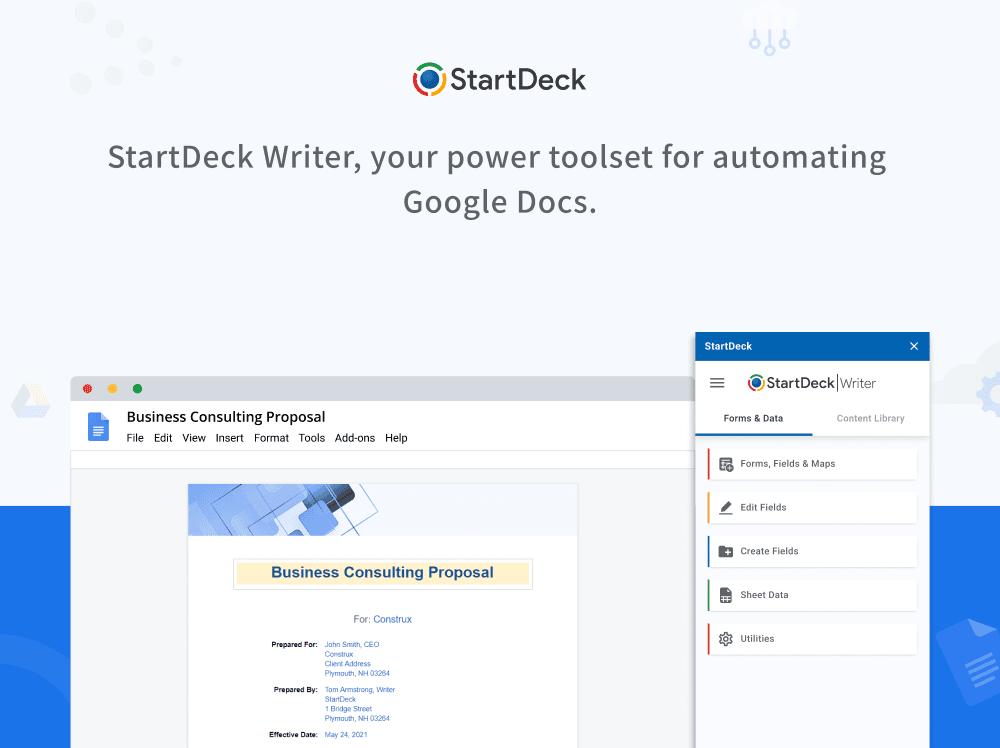
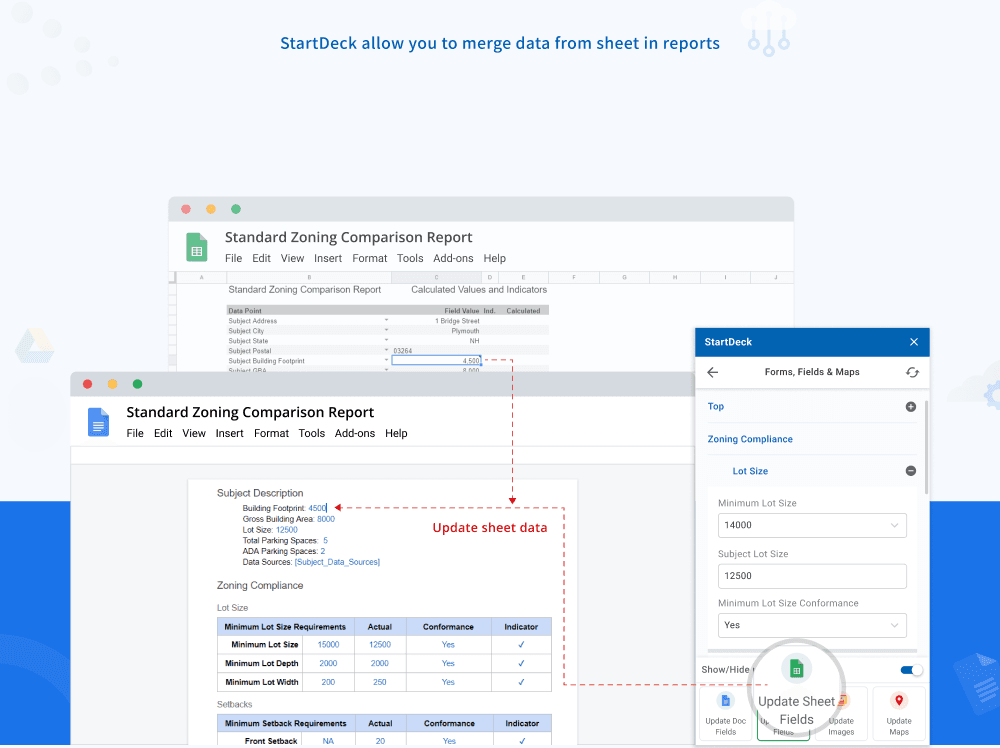
The platform solved the data. The report still got finished in Google Docs, and the last mile was where the time went. Values from the analysis spreadsheet had to land in the right place in the narrative, stay correct when the underlying numbers changed, and survive a document being edited by several people across weeks.
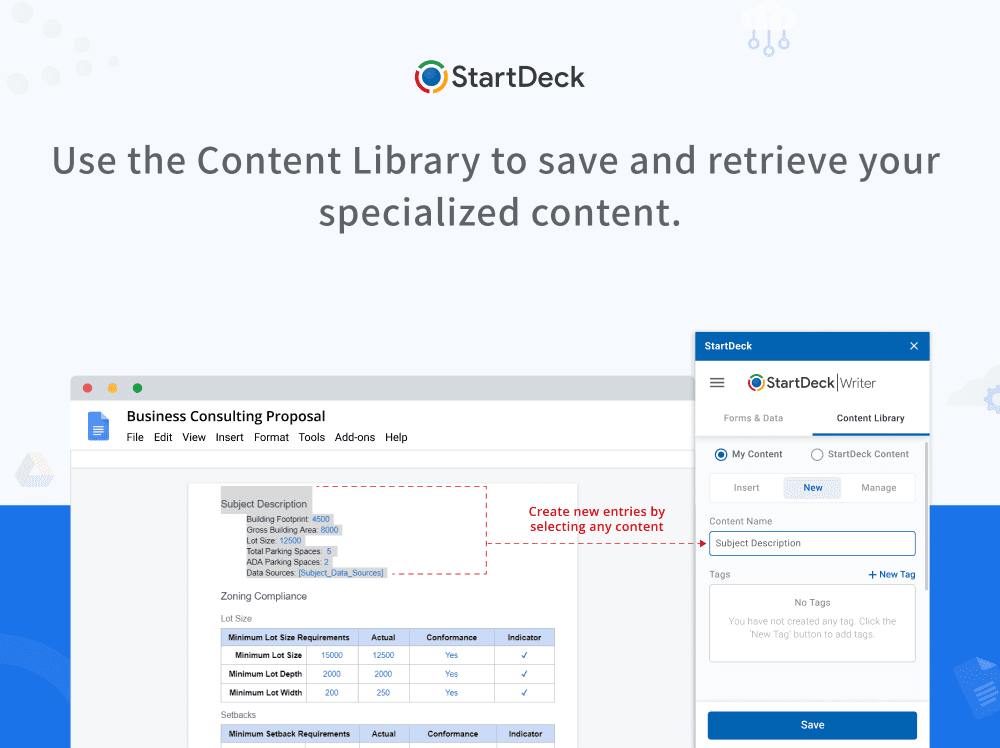
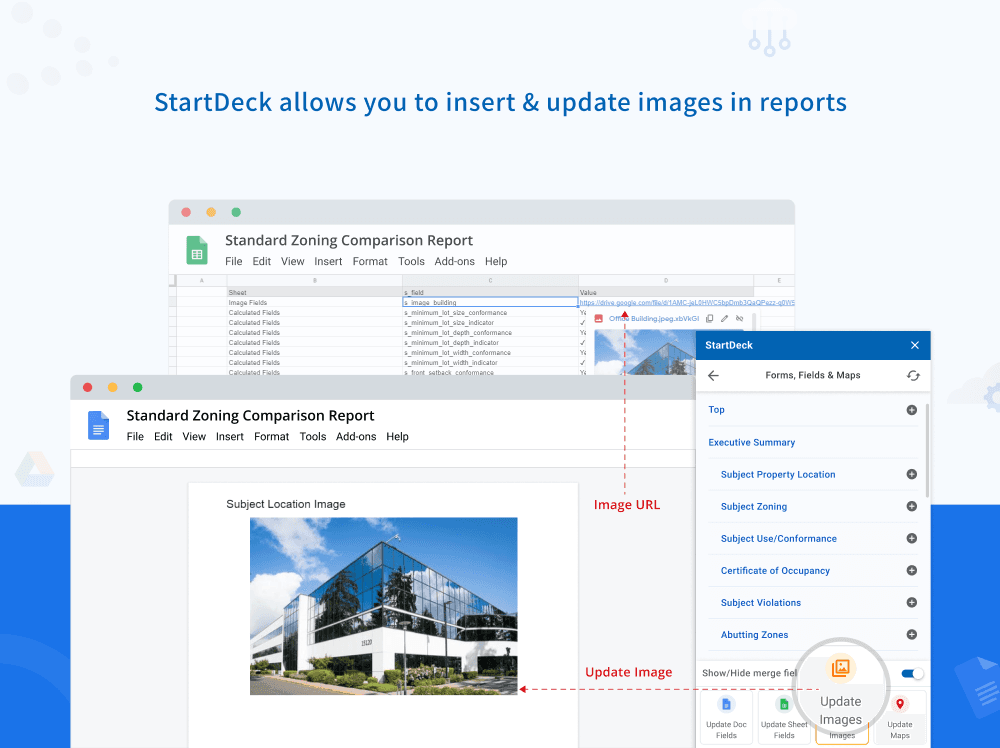
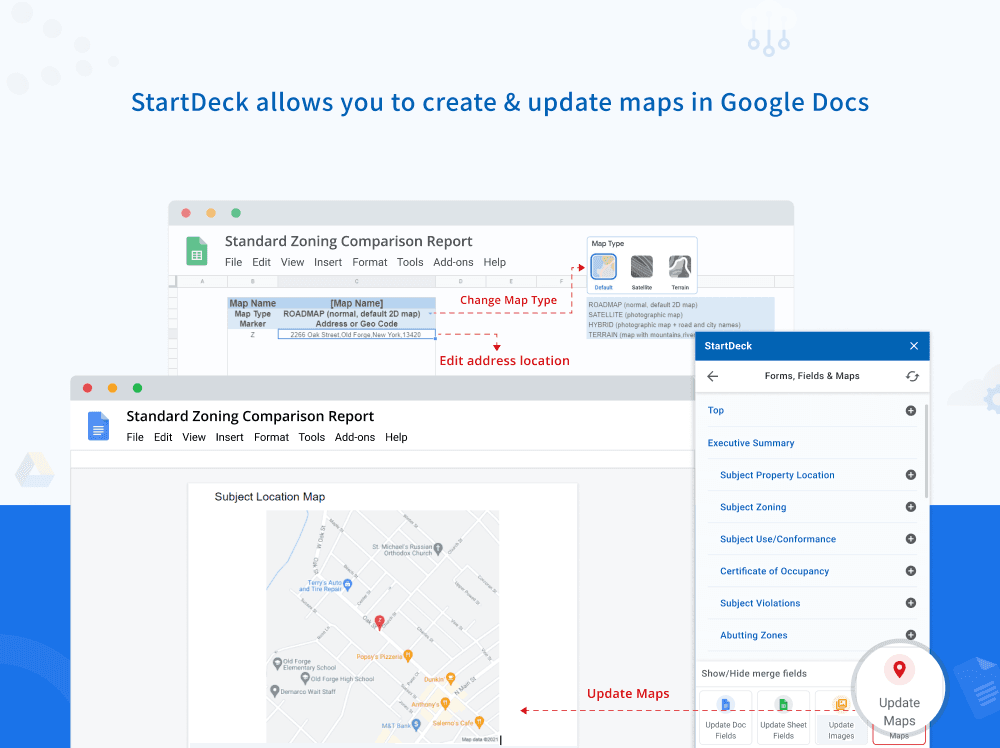
What that requires is a live link between spreadsheet and document: hundreds of fields scattered through a report, each traceable back to its source, each updatable on demand without disturbing the surrounding prose. Google Docs has no native concept of this. Neither does Sheets. So we built one, alongside form-driven data entry, a tagged content library for reusable narrative, dynamic image insertion, and in-document map rendering.
Constraints
Everything interesting about this add-on comes from the runtime. Google Apps Script is the only way to extend Docs from inside, and it withholds most of what you would ordinarily reach for.
No concurrency.
There is no event loop.
asyncandawaitparse, but nothing runs in the background and the runtime terminates the moment your function returns. Every network call blocks.No batch traversal.
Reading the document happens one element at a time, and each read is a round trip to Google's backend. Walking a large report costs tens of thousands of them.
Hard execution ceiling.
Six minutes, then the script is killed mid-operation. On a document this size that is not a generous allowance.
No asset hosting.
The sidebar must be served as a single self-contained HTML payload, under a size ceiling, which shapes how the front end is built and bundled.
Small local storage quotas.
Per-document metadata quickly exceeds what the runtime will hold, so durable state is pushed to the platform instead.
Live, shared documents.
Other people are editing while you modify, and two colleagues can trigger the same operation simultaneously.
Engineering
On a platform with no batching and no concurrency, performance work is not about faster code. It is about not making the call at all.
Measure before touching anything.
We instrumented the whole merge operation with a lightweight timing harness reporting per-step totals to the console. That immediately reframed the problem: the cost was almost entirely round trips, and several of the most expensive steps were re-fetching values the same operation had already retrieved moments earlier.
Match the cache to the cost of the call.
Calls available in Apps Script sit on a cost ladder spanning four orders of magnitude. An in-memory read is effectively free, a service-object call costs milliseconds, the cache service costs a network hop, and a Drive or HTTP call costs the better part of a second. The right cache tier is the one cheaper than the call it replaces, which is a narrower target than it sounds: caching a cheap call in a remote cache makes it slower.
Cache your misses, not just your hits.
One of the largest wins came from a class of bug worth naming, because it is easy to write and invisible in review: a memoisation guard that treats "not cached" and "cached as empty" as the same state. Where the answer is legitimately empty, the cache never fills and every caller repeats the network request. Tracking whether a fetch happened, separately from what it returned, collapsed several repeated requests per operation into one.
An experiment that failed, usefully.
The promising idea was to stop walking the document element by element and instead fetch it in a single structured request, deciding in memory whether anything needed to change. On a small document it is clearly correct. On an eighty-page report it was dramatically slower: the structured representation carries formatting detail for every fragment of text, and the payload alone took longer to transfer and parse than the traversal it replaced. We reverted it and documented the result in the codebase so it is not attempted again.
Correctness while the ground moves.
Updating a field is not a string replacement. A single value can be split across several styling runs by the editor, so it must be reassembled before it can be compared or written. Replacing text shifts the position of everything after it in the same paragraph, so pending updates have to be adjusted as you go. Get either wrong and the corruption is silent: a report that looks finished and contains the wrong number. In a document supporting a valuation, that is the failure mode that actually matters.
Concurrency without concurrency primitives.
Two appraisers can start the same operation on the same report simultaneously. We hold a document-scoped lock with a bounded wait, so the second caller is told the document is busy rather than allowed to interleave edits with the first.
Beyond this client
On a constrained runtime, the constraints are the architecture. No amount of tidy code compensates for a design that makes thirty thousand network calls. The wins came from removing calls, caching at the right tier, and knowing which work could be skipped entirely.
And measure on real data. The optimisation that looked best on paper was the one that made things twice as slow, a fact no amount of reasoning would have surfaced, and one run of instrumentation did.
The seam
One platform, two add-ons, and the seam that holds them together
StartDeck automates commercial appraisal reports. It is not one product but three codebases: a central platform that owns identity, data, and billing, and two independent Google Workspace add-ons that do the actual editing work inside Docs and Sheets.
The add-ons never call each other. What connects them is a shared spreadsheet: one prepares the data, the other renders it into the report. That seam is the architecture, and everything interesting follows from it.
Questions
Common questions
- What is the Google Apps Script execution time limit?
- Six minutes, after which the script is killed mid-operation. On a document of eighty pages or more that is not a generous allowance, and it shapes the whole design.
- Why is Google Apps Script slow on large documents?
- There is no batch traversal. Reading the document happens one element at a time and each read is a round trip to Google's backend, so walking a large report costs tens of thousands of them.
- Can you use async and await in Google Apps Script?
- They parse, but nothing runs in the background and the runtime terminates the moment your function returns. Every network call blocks.
- How do you cache effectively in Google Apps Script?
- Match the cache tier to the cost of the call it replaces. Calls span four orders of magnitude, from a free in-memory read to a Drive or HTTP call costing the better part of a second. Caching a cheap call in a remote cache makes it slower.
- Can two people run the same Apps Script operation at once?
- Yes, and it will corrupt the document if unhandled. A document-scoped lock with a bounded wait tells the second caller the document is busy rather than letting edits interleave.
Platform metrics as reported by the client. Add-on performance figures are deliberately omitted pending verification against a production-scale report.
More like this
Related work
StartDeck
Document automation SaaS for commercial appraisers
StartDeck Tables & Maps
Google Sheets add-on for comp data, schema sync, and map definitions
Read case studyHave something like this to build?
Book a call and tell us where you're stuck. We'll tell you honestly what it takes.