
AI can add real value inside enterprise SaaS platforms, but only when it is placed in the right layer of the system. The question is not where AI can be added, but where it can exist safely, usefully, and with enough control to support the platform rather than undermine it.
AI is now close enough to production that most enterprise software teams are no longer asking whether they should use it.
They are asking where it belongs.
That sounds like a technical question, but in mature enterprise SaaS platforms, it is usually a risk question first.
The issue is not where AI can be inserted. It is where AI can operate without weakening control, explainability, accountability, or delivery confidence.
That distinction matters more in enterprise SaaS than it does in product demos.
A mature platform already carries real customers, established workflows, operational dependencies, support history, permissions models, integration contracts, and often some level of compliance exposure. In that environment, AI is not entering an empty space. It is entering a working system.
That is why the better question is not:
“Where can we add AI?”
It is:
“Where can AI exist safely enough to improve the platform without making it harder to trust?”
The Mistake Most Teams Make
The most common mistake is to treat AI as a feature layer that can be dropped into any workflow that looks manual.
On the surface, that sounds reasonable. Enterprise platforms usually contain repetitive reviews, large data volumes, support burden, documentation work, exception handling, and user friction. AI appears to offer a shortcut.
The problem is that teams often start with visibility, not suitability.
They look for the most obvious surface area:
- customer support replies
- approval recommendations
- automated summaries
- form completion
- data classification
- workflow routing
Then they move quickly from “AI can help here” to “AI should own this.”
That is where trouble begins.
In production, the real question is not whether the model can generate an answer. It is whether the platform can tolerate a wrong one.
That depends on the surrounding system:
- how decisions are reviewed
- whether outputs are reversible
- whether the workflow is auditable
- whether the underlying data is stable
- whether the business logic is deterministic
- whether users understand when AI is assisting versus deciding
When teams ignore those conditions, AI stops being a productivity layer and starts becoming a new source of operational ambiguity.
AI should reduce uncertainty for the user, not introduce more of it into the system.
Where AI Actually Fits
AI works best in enterprise SaaS when it operates in places where interpretation, prioritization, drafting, or assistance matter more than deterministic execution.
In other words, it tends to fit better around the decision process than at the core of the system of record.
That is also the difference between responsible applied AI and automation inside enterprise systems and AI added mainly for optics.
1. AI fits well in knowledge-heavy assistance layers
One of the clearest places AI belongs is where users need help navigating information, not where the platform must make an irreversible decision.
Examples:
- searching across internal documentation, tickets, notes, or policies
- summarizing long account history before a support or success interaction
- helping internal users understand workflow context faster
- drafting responses, explanations, or follow-up content from existing records
- surfacing likely next steps based on known internal procedures
Why this works:
These workflows are usually about compression, orientation, and speed. The value comes from reducing cognitive load, not from replacing platform logic.
If the answer is imperfect, the user can still review it. If the context is incomplete, the platform can still expose the source record. If the model is uncertain, the workflow can fall back to human judgment.
That makes the failure mode more tolerable.
AI is strongest when it helps a person understand faster, not when it silently acts in their place.
2. AI fits in triage, anomaly detection, and prioritization
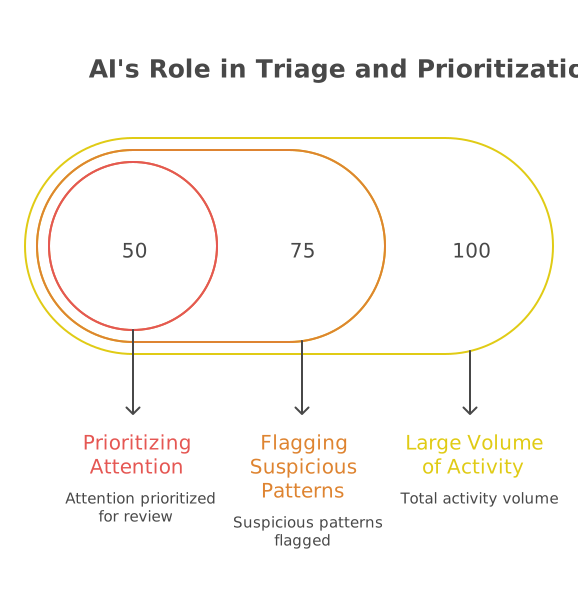
AI can also be useful when the job is to identify patterns, flag outliers, or prioritize attention across large volumes of activity.
Examples:
- highlighting unusual pricing changes
- flagging suspicious support patterns
- identifying likely duplicate records
- prioritizing risky onboarding submissions
- surfacing integration failures that deserve faster review
- clustering issue categories from incoming operational data
Why this works:
These are recommendation-oriented tasks. AI is helping the platform decide what deserves attention, not rewriting the underlying business rules.
That is an important distinction.
A model may not need to be perfectly deterministic to be useful here. It only needs to improve signal quality enough to help teams focus on the right queue, case, or exception first.
This is especially useful in workflow-heavy systems and integration-heavy enterprise environments where volume creates fatigue before it creates outright failure.
AI should inform decisions before it automates them.
Thinking about where AI belongs in your platform?
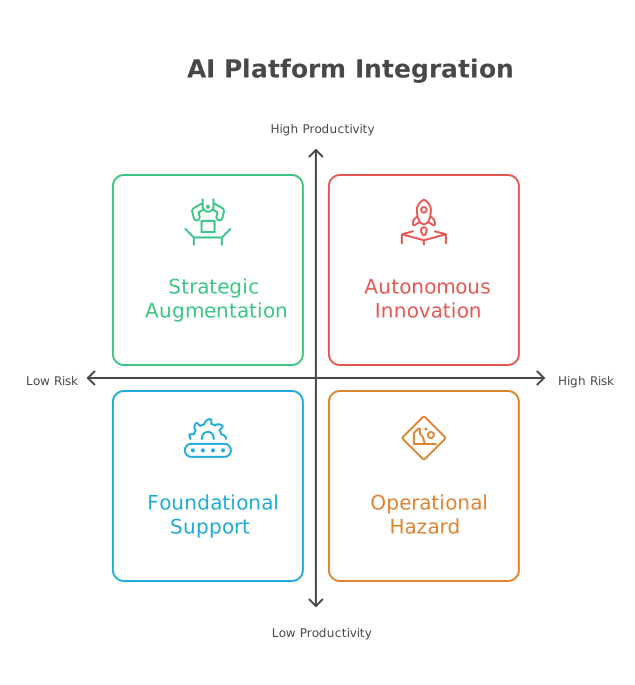
Many teams do not need more AI experimentation first. They need clearer judgment on where AI can support the platform safely, where it introduces operational risk, and what should stay deterministic.
If that question is still unclear, Duskbyte’s SaaS Modernization & Cloud Readiness Audit helps leadership teams assess platform constraints, workflow risk, integration complexity, and implementation sequencing before AI becomes production behavior.
3. AI fits in drafting and structured productivity support
There is also a strong case for AI in places where teams are producing repetitive but reviewable output.
Examples:
- first-draft release notes
- internal ticket summaries
- onboarding document preparation
- compliance evidence organization
- customer communication drafts
- admin-side form enrichment from existing records
Why this works:
These tasks are often expensive in aggregate but low-risk when proper review remains in place. AI can remove friction without becoming the authority.
This tends to work best when:
- the source material is already inside the platform
- the output format is structured
- a human still approves the result
- the system clearly distinguishes generated content from authoritative records
The productivity gain can be real without changing the trust model of the platform.
Not every valuable AI use case needs to be autonomous to be worth implementing.
4. AI fits at the edges of complex workflows, not at the center of control
In mature enterprise systems, many workflows have a structured core and a messy edge.
The core is usually governed by rules, approvals, timestamps, permissions, and audit history.
The edge is where users interpret, explain, request, justify, search, or decide what to do next.
That edge is often where AI belongs.
Examples:
- helping a supplier prepare a better justification before submitting a request
- assisting an internal operator in understanding why a case was rejected
- turning raw activity history into an easier narrative for review
- suggesting missing information before a workflow advances
- helping users locate the right policy or reference material before submission
Why this works:
The controlled workflow remains intact. The AI improves the quality of interaction around it.
That is a safer enterprise pattern than replacing the workflow itself.
It also aligns better with platforms being improved through phased enterprise modernization, where the goal is to reduce friction around the workflow without weakening the control structure underneath it.
The more important the workflow, the more carefully AI should stay outside the final authority layer.
Where AI Does Not Fit
There are also clear places where AI introduces more risk than value, especially when teams try to use it as a substitute for platform design, governance, or data discipline.
1. AI does not belong as the hidden decision-maker for core business rules
If the platform needs deterministic behavior, traceability, and consistent outcomes, opaque model output is a poor foundation.
Examples:
- pricing calculation logic
- invoice generation rules
- entitlement enforcement
- contract state transitions
- regulatory workflow approvals
- access control decisions
- financial reconciliation logic
Why this fails:
These areas require repeatability. They need explicit logic. They often need defensible reasoning. They usually need exact rollback and audit history.
A model may help explain or review these outcomes. It should not quietly become the mechanism that produces them.
This is especially true in governance-heavy operational platforms, where even small rule changes can create downstream instability, as shown in Duskbyte’s enterprise pricing platform work for foodservice distribution.
When AI is placed here too early, teams end up with a system that is harder to test, harder to defend, and harder to trust.
If the business cannot tolerate inconsistency, AI should not own the rule.
2. AI does not fix bad operational data
A lot of enterprise AI plans assume the model will somehow compensate for poor data quality, fragmented records, unclear ownership, or weak process design.
It will not.
At best, AI can sometimes make those issues visible faster. At worst, it amplifies them.
Examples:
- inconsistent customer records across systems
- missing workflow states
- weak data contracts between integrations
- unreliable metadata
- ungoverned document repositories
- ambiguous historical activity logs
Why this fails:
Model quality does not overcome structural ambiguity. If the platform cannot define what is true, current, approved, or canonical, AI has nothing stable to anchor to.
That creates a dangerous illusion of capability. The responses may sound coherent while remaining operationally unreliable.
In practice, this is often a legacy modernization problem before it is an AI problem.
AI does not clean your platform. It exposes what the platform has failed to make coherent.
3. AI does not belong in high-consequence automation without containment**
Some teams try to jump directly from assistance to action.
That is where enterprise risk rises quickly.
Examples:
- auto-sending sensitive customer communications
- auto-approving exceptions with downstream financial impact
- auto-modifying records in core systems
- auto-triggering integration workflows across external systems
- auto-resolving support cases that affect contractual obligations
- auto-classifying documents where legal or compliance meaning matters
Why this fails:
The problem is not only accuracy. It is blast radius.
A bad summary can be corrected. A bad action can cascade.
In integration-heavy environments, one wrong step may not stay local. It can affect billing, reporting, notifications, partner systems, compliance records, or customer trust.
That is why mature platforms need containment before autonomy. The same logic applies in cloud migration and platform change: if the surrounding architecture is already fragile, adding autonomous behavior increases the cost of failure rather than the value of speed.
Automation multiplies the consequences of uncertainty.
4. AI does not belong where the user cannot tell what it is doing**
Trust breaks down quickly when users cannot distinguish between:
- system facts
- deterministic workflow outcomes
- generated suggestions
- inferred probabilities
- authoritative records
This is especially dangerous in enterprise admin systems, compliance-heavy workflows, and multi-role platforms where different users depend on the same record for different purposes.
Why this fails:
When AI output is blended invisibly into system truth, users stop knowing what to challenge, what to trust, and what to verify.
That is not a UX issue alone. It is a governance issue.
Good enterprise use of AI requires explicit boundaries:
- what is generated
- what is retrieved
- what is inferred
- what is final
- who remains accountable
If users cannot see the boundary between AI assistance and system truth, the platform is already harder to trust.
The System-Level Shift
The real shift is not from “no AI” to “AI everywhere.”
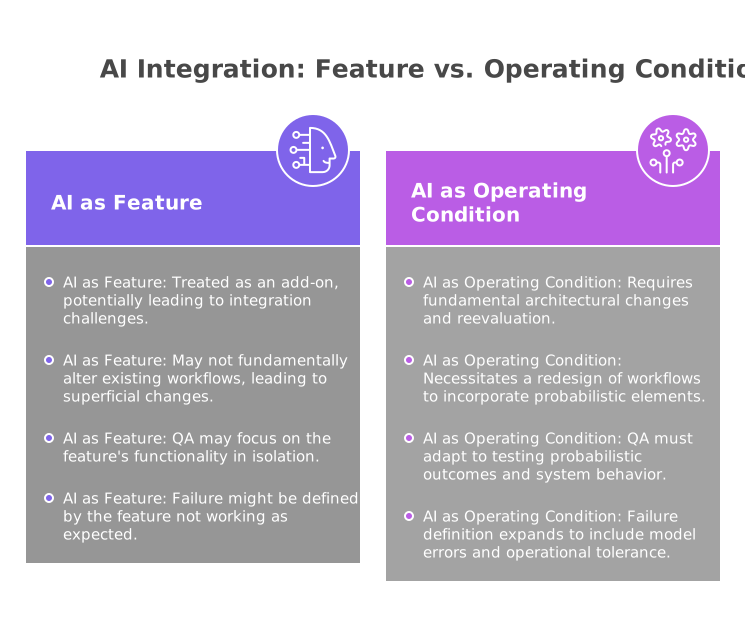
It is from deterministic systems doing only explicit work to platforms that now contain a probabilistic layer.
That changes architecture decisions.
- It changes workflow design.
- It changes QA expectations.
- It changes audit thinking.
- It changes support burden.
- It changes how product teams define failure.
In a mature enterprise platform, AI should be treated less like a feature and more like a new operating condition.
That means asking different design questions:
- Where is uncertainty acceptable?
- Where must behavior remain deterministic?
- What outputs are reversible?
- What requires human review?
- What needs traceability?
- What happens when the model is wrong?
Teams that answer those questions early usually find valuable AI use cases.
Teams that skip them usually end up with fragile demos, unclear ownership, and awkward rollback decisions later.
That is also why articles like Why Most SaaS Rewrites Fail matter here. The same pattern shows up again: teams overestimate what can be replaced cleanly and underestimate the embedded complexity already sitting inside the platform.
The real implementation question is not model capability. It is operational tolerance.
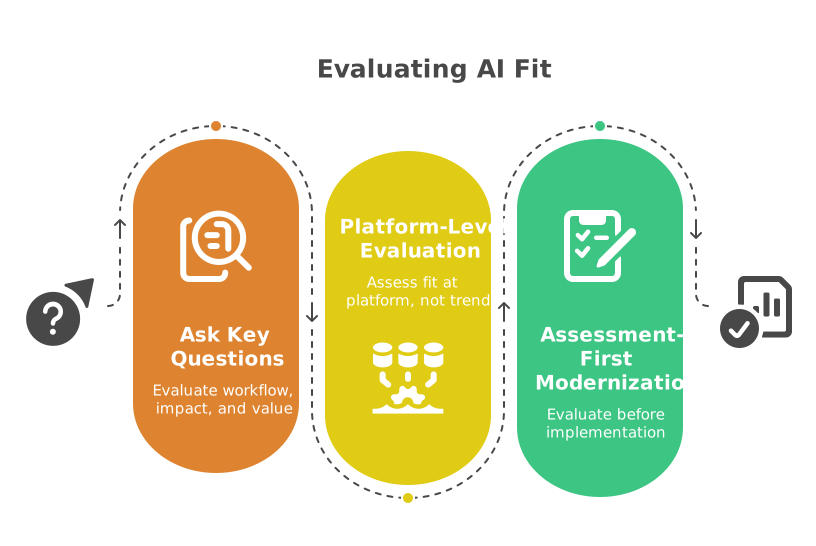
A Practical Way to Evaluate AI Fit
Before adding AI to any part of an enterprise SaaS platform, it helps to ask:
- Is this workflow interpretive or deterministic?
- If the AI is wrong here, what actually happens?
- Is the output reviewable before it creates downstream consequences?
- Can the user see what is generated versus what is authoritative?
- Does the workflow already have stable data and clear ownership?
- Is this helping a person decide, or replacing a control point?
- Does the platform have an audit trail around the interaction?
- Can this capability fail safely?
- Is the value in speed, clarity, prioritization, or actual autonomous execution?
- Are we solving a workflow problem, or hiding a platform design problem behind AI?
Those questions tend to produce better decisions than broad statements about innovation, transformation, or AI readiness.
They force the team to evaluate fit at the platform level, not at the trend level.
In many cases, that evaluation should happen before implementation starts, through a more assessment-first modernization approach rather than a fast experiment that quietly becomes production behavior.
Closing
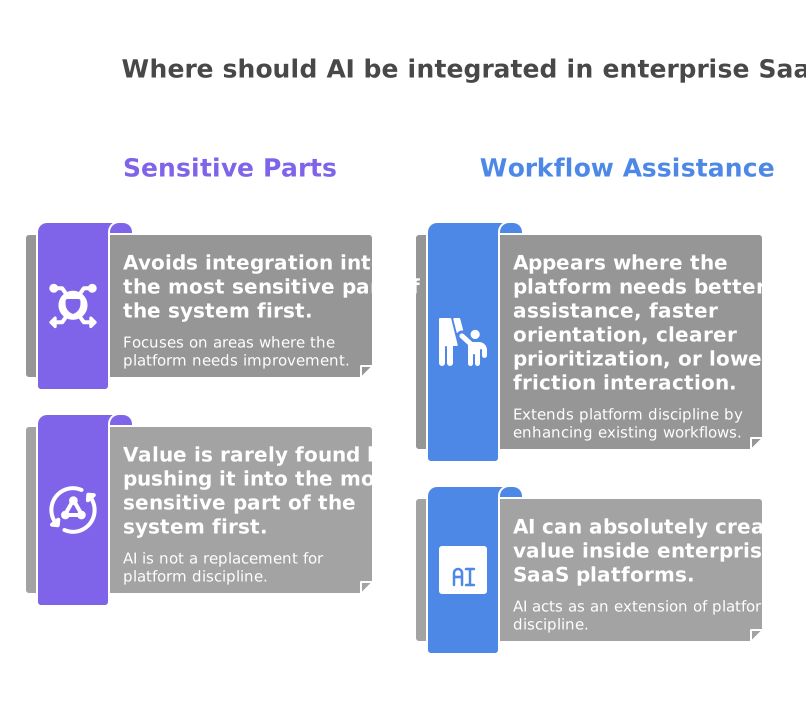
AI can absolutely create value inside enterprise SaaS platforms.
But that value is rarely found by pushing it into the most sensitive part of the system first.
It usually appears where the platform needs better assistance, faster orientation, clearer prioritization, or lower-friction interaction around a workflow that is already governed well.
That is a more useful way to think about it.
Not as a replacement for platform discipline.
As an extension of it.